

Practical system example
Product placement in context.
A product in a fridge plays a different role from a can held by a character. Panaccess connects product and logo detections with the scene, the placement and the activity shown, then makes those categories available for comparison.
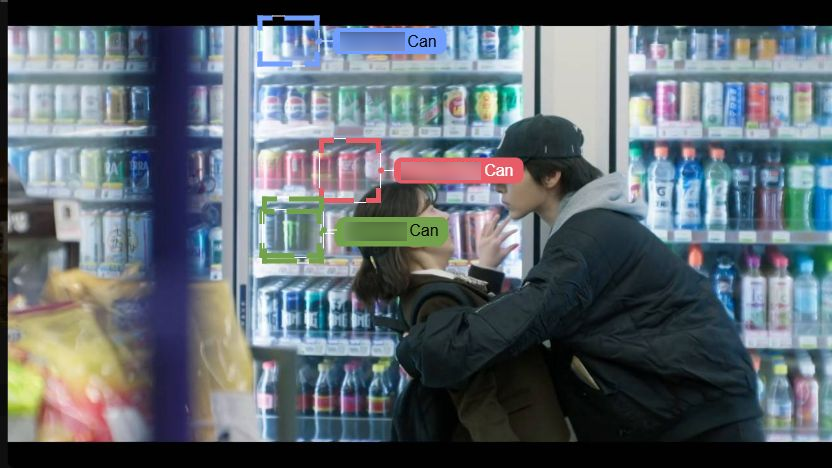
Where does the product fit into the scene?
A useful placement analysis looks beyond the presence of a logo. Is the product on a table, in a fridge, held in a hand or being used? What is happening around it? These examples show how source detections and context categories can support a comparison across the content being analysed.
From a scene to a comparable report
Define the comparison
Set the content, territories and period to analyse. Specify the target brands, competitors and context categories relevant to the question.
Identify appearances
Detect the configured products and logos. Keep a connection to the source scene so appearances can be reviewed.
Classify the context
Review placement and activity categories, such as a product in a fridge, a can in hand or a social occasion, where included in the analysis.
Compare the findings
Compare brands within the same content and reporting period, using the placement, occasion and on-screen-time views available for the project.
A placement is more than a product count
The frame below shows products held by people. It can be reviewed alongside background placements such as the fridge example. Detection boxes make the system’s targets visible; scene context explains how those targets appear.
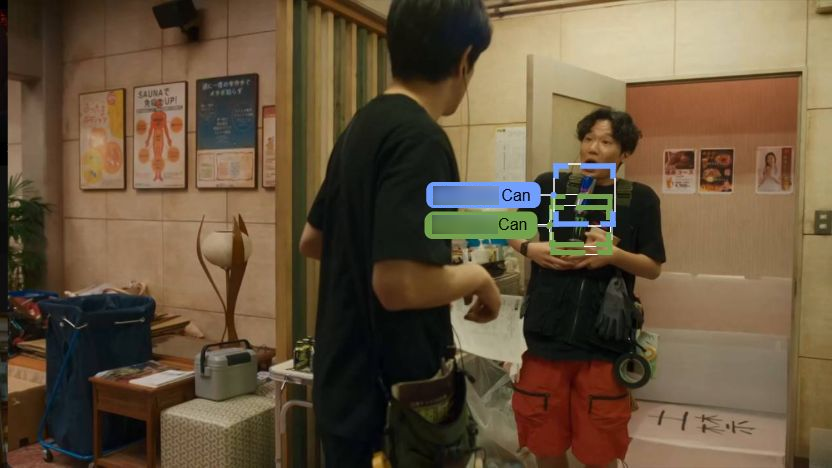
Compare placement and occasion categories
The placement view groups detected appearances by categories such as “On Table”, “Fridge” and “Can in Hand”. The occasion view adds contexts such as sport, work and social situations. In these example views, the selected count is the number of titles with a detected brand presence in each category; it is not a measure of sales or purchase intent.
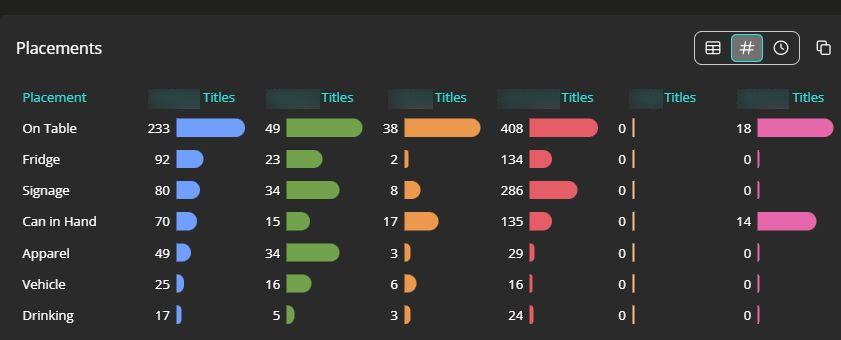
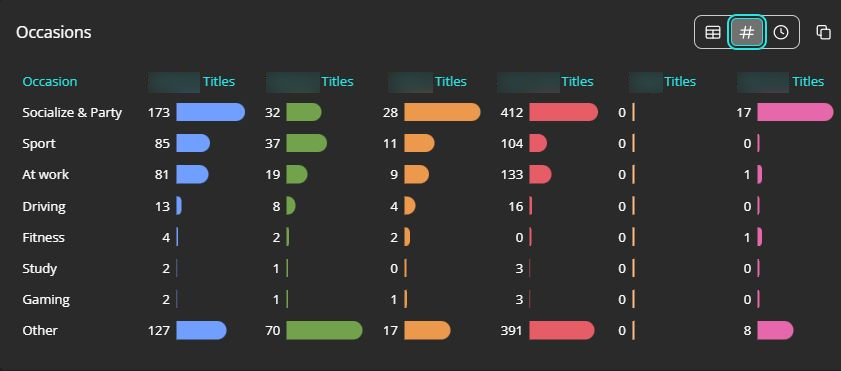
Read the results within their coverage
A comparison applies to the sources, titles and period included in the analysis. Source access, validation, context enrichment and reporting are defined for the project. An appearance or a long on-screen duration does not by itself demonstrate attention, preference or commercial impact.
These screenshots illustrate the Panaccess analytics workflow. They do not identify a commissioning customer or imply endorsement by the programmes or brands shown.
Define your product placement analysis
Tell us which brands, content and placement questions matter to you. We can then agree the sources, comparison categories and reporting.